
Over 4.7 million Americans work from home at least half the time. Creating a good workspace at home is key for staying productive and balancing work and life.
A well-designed workspace can make you more productive and happy. We’ll look at what makes a great workspace. This includes the right setup, choosing the best spot, and using technology to improve your work.
By making your workspace better, you can focus better, avoid distractions, and feel happier at work. In this article, we’ll cover how to create a workspace that meets your remote work needs.
Key Takeaways
- Create a dedicated workspace to boost productivity
- Choose a location with minimal distractions
- Incorporate technology to enhance your work experience
- Optimize your workspace for comfort and ergonomics
- Regularly assess and adjust your workspace as needed
Understanding the Importance of a Good Home Office Layout
A well-designed home office can greatly improve my work efficiency and motivation. By creating an optimal workspace, I can boost my productivity and enjoy my work more.
One key aspect of a good home office layout is enhancing productivity. This can be done by placing furniture wisely and keeping things organized. For example, having my desk near a window can increase my energy and focus. Also, a tidy workspace reduces distractions, helping me stay focused on my tasks.
Enhancing Productivity
To boost productivity, designing a functional workspace is key. This means arranging my furniture and tools to support an efficient workflow. The Canadian Centre for Occupational Health and Safety says a well-organized space can lower injury risks and boost efficiency. For more on creating an ergonomic workspace, check out ergonomic office guidelines.
- Positioning my desk to minimize glare on my computer screen
- Using ergonomic furniture that supports my back and promotes good posture
- Implementing effective organization tips to keep my workspace clutter-free
Creating a Comfortable Atmosphere
Creating a cozy atmosphere in my home office is also vital. This means thinking about lighting, temperature, and noise levels. Adjusting these can make my workspace both productive and welcoming.
For instance, mixing natural and artificial light can reduce eye strain and make the space feel inviting. Keeping the temperature right and reducing noise can also improve my work environment.
By focusing on both productivity and comfort, I can make my home office a supportive and successful space.
Choosing the Right Location for My Home Office
Finding the perfect spot for my home office is important. It affects my productivity, comfort, and work experience. The right location makes a big difference.
I need to think about the layout and how it fits my work style. This means looking at design ideas for home office that are both efficient and comfortable.
Factors to Consider
When picking the best location, several things matter. These include:
- Natural light availability
- Noise levels and distractions
- Proximity to essential amenities
- Space utilization strategies to maximize the area
By looking at these factors, I can make a workspace that works well and feels good.
Balancing Comfort and Proximity
Finding a balance between comfort and being close to home is a challenge. I want to be near amenities but not too close to distractions.
Using space utilization strategies helps me find this balance. For example, turning a spare room or corner into an office gives me the isolation I need while staying accessible.
In the end, the best home office location is one that supports my work and fits well in my home.
Essential Furniture for an Effective Workspace
An ergonomic office setup starts with the basics: a good desk and chair. When I set up my home office, I aim for a space that’s both useful and comfy.
Selecting the Perfect Desk
The desk is the heart of my home office. When selecting the perfect desk, I think about size, material, and design.
- A big surface for my computer, papers, and more.
- A strong frame for my heavy equipment.
- An ergonomic design for comfort without strain.
A sit-stand desk is a great pick. It lets me switch between sitting and standing, helping my posture and health.
Ergonomic Chairs that Support My Back
An ergonomic chair is key for good posture and avoiding back pain. I look for adjustable height, lumbar support, and breathable fabric.
- Adjustable height and lumbar support for my body.
- A breathable fabric or mesh for coolness during long hours.
- A stable base that doesn’t tip or move.
A quality ergonomic chair boosts my productivity and comfort. It lets me concentrate on my work without distractions.
By choosing the right desk and chair, I create an optimal furniture placement. This improves my work experience, supporting my health and efficiency.
Optimizing My Home Office Layout for Functionality
To boost productivity, it’s key to make my home office layout work well. A tidy workspace improves efficiency and cuts down on distractions. This lets me focus better on my tasks. We’ll look at ways to design a functional workspace design.
Arranging My Desk for Maximum Efficiency
Setting up my desk right is essential for being productive. I put my computer and keyboard in front of me. This keeps my monitor at eye level to avoid neck strain.
I keep my most used items, like pens and paper, close. This saves time and keeps me focused. A desk organizer helps keep things tidy. You can find these online or at office stores. For more tips, check out DIY in Progress.
Utilizing Vertical Space
Using vertical space is smart for my home office layout. Installing shelves up to the ceiling keeps my area clean. It also saves floor space and keeps things organized, which is important for space utilization strategies.
I use wall-mounted shelves for books and supplies. This keeps my desk clear and makes finding things easy. Here’s a quick look at different storage options:
| Storage Solution | Space Saved | Ease of Access |
|---|---|---|
| Wall-mounted Shelves | High | Easy |
| Desk Organizers | Medium | Very Easy |
| Floor-standing Cabinets | Low | Moderate |
By using these organization tips, I make my home office both useful and comfy. This lets me work more efficiently and effectively.
Incorporating Technology into My Home Office
Adding the right technology to my home office has changed my remote work life. With the right tools and setup, I work better and faster.
Essential Gadgets for Remote Work
To make my home office better, I picked out key gadgets. These are must-haves for working from home. They include:
- A reliable laptop with enough power
- A top-notch printer and scanner for papers
- A noise-canceling headset for calls
- Fast internet to stay connected
As a tech expert said, “The right tech turns your space into a productivity machine.” This shows how important the right gadgets are.
| Gadget | Functionality | Benefit |
|---|---|---|
| Laptop | Processing and multitasking | More productivity |
| Printer/Scanner | Handling documents | Less paper |
| Noise-canceling Headset | Video calls | Better talks |
Organizing Cables and Connectivity
Keeping cables organized is key to a clean home office. I use cable ties, organizers, and a box to keep things neat.
Improving my home office also means adding style. Decorative cable organizers keep things tidy and look good.
“A clutter-free workspace is a clutter-free mind.”
With the right tech and a clean space, I can focus better. This makes my work more productive and enjoyable.
Personalizing My Home Office Design
Personalizing my home office is more than looks; it’s about making a space that sparks creativity. A space tailored to me boosts both productivity and comfort. It’s key for my remote work setup.
Adding Decorative Elements
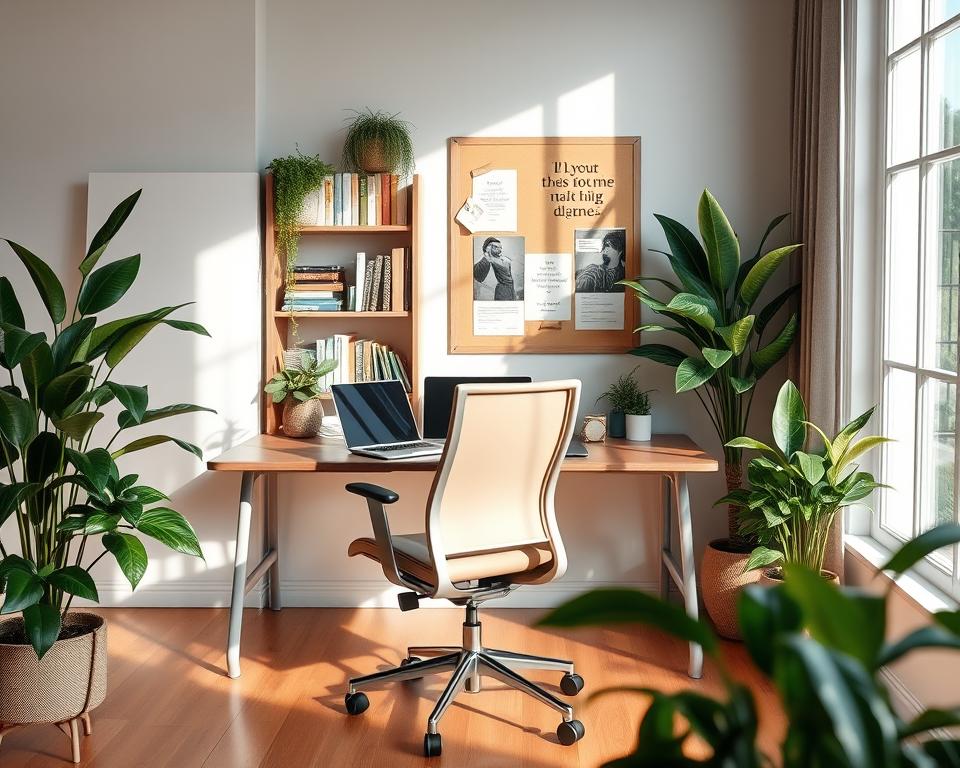
To make my office truly mine, I add elements that show my style. Artwork and plants are perfect for this. Art can be paintings, prints, or sculptures, based on my taste and the office’s layout.
Plants not only clean the air but also bring nature indoors. They make the space feel cozy. I pick easy-to-care-for plants like succulents if I’m not green-thumbed.
Inspirational Quotes and Wall Art
Adding inspirational quotes and wall art also boosts my drive. Quotes that match my work values or goals are placed around the office. They keep me on track.
Wall art, like motivational posters or family photos, adds personality to my office. It’s important to choose pieces that are not only attractive but also foster a positive work environment.
By carefully choosing decorative items and inspirational content, I create a home office that’s both functional and a reflection of me. It’s a place of inspiration.
Managing Noise and Distractions in My Workspace
It’s key to keep noise and distractions down to stay focused and productive at home. A functional workspace design is vital for this.
To make a productivity-enhancing setup, tackling noise is essential. Unwanted sounds, like family chatter or the fridge humming, can really get in the way.
Soundproofing Tips
Soundproofing your home office can greatly cut down on distractions. Here are some tips:
- Adding mass to walls and ceilings can help absorb sound.
- Using soundproofing materials like acoustic panels can minimize echo and reduce outside noise.
- Sealing gaps around doors and windows can prevent sound from entering or escaping.
Using Noise-Canceling Headphones
Noise-canceling headphones are a great tool for managing distractions. They block out background noise, letting you focus on your work.
When picking noise-canceling headphones, think about the noise you want to block and how comfortable you need them for long wear.
By using these strategies, you can make a workspace that boosts productivity and keeps you on track with your tasks.
Implementing Effective Lighting Solutions
Setting up my home office made me see how important lighting is. Good lighting boosts my mood, cuts down eye strain, and makes working comfy.
It’s key to mix natural and artificial light. We’ll look at natural light’s perks and picking the best desk lamp for task lighting.
Natural Light and Its Benefits
Natural light is not just green; it’s also good for my health. It lifts my mood, energy, and overall health. Having my desk near a window helps a lot.
Benefits of Natural Light:
- Improves mood and reduces stress
- Enhances productivity and focus
- Regulates circadian rhythms
To get more natural light, I use mirrors or reflective surfaces. This spreads light around the room, making my area bright.
Choosing the Right Desk Lamp
Even with natural light, it’s not always there, like at night or in small rooms. A good desk lamp is key. Look for brightness, color, and adjustability.
| Lamp Feature | Description | Benefit |
|---|---|---|
| Brightness | Adjustable brightness levels | Reduces eye strain |
| Color Temperature | Warm white, cool white, or daylight | Enhances focus and comfort |
| Adjustability | Flexible arm or adjustable height | Directs light where needed |
For an ergonomic office setup, a good desk lamp is essential. It should light up well without glare or shadows. This makes my work area better and helps with optimal furniture placement.
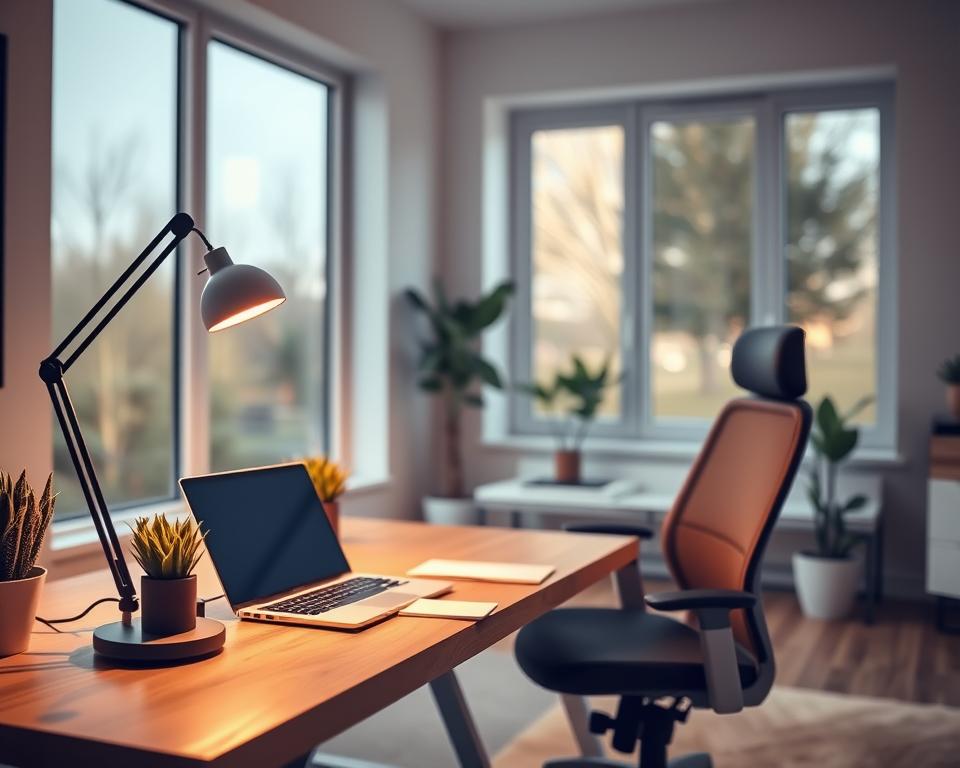
By mixing natural light with the right desk lamp, I make my home office bright and comfy. This supports my productivity and comfort.
Assessing and Adjusting My Layout Regularly
Keeping a productive home office means checking and tweaking the layout often. As work styles and needs change, it’s key to keep the space working well.
Identifying the Need for Change
Signs it’s time for a change include feeling less productive, being uncomfortable, or needing more storage. Spotting these signs helps me make smart changes to my home office. I add tips for better organization to improve my workspace.
Seasonal Adjustments for Optimal Space Utilization
Seasonal changes call for home office tweaks too. In winter, I might move things to get more natural light. In summer, I adjust for better air flow. These changes help keep my work area comfy and productive all year.
Regularly checking and tweaking my home office layout keeps it up to speed with my work needs. This boosts both productivity and comfort.