



In today’s fast-paced work environment, staying productive is key. Managing time effectively can make a big difference. With so many time management tools out there, picking the right one can be tough.
Finding the right tool to streamline work is vital. I know how important it is to use the right time tracking apps. These tools help you stay organized and focused, making sure tasks get done efficiently.
Key Takeaways
- Discover the top time tracking apps to enhance your workflow.
- Learn how effective time management can boost productivity.
- Explore the features that make a time tracking app stand out.
- Understand how the right tool can help you stay organized and focused.
- Find out how to choose the best time tracking app for your needs.
What Are Time Tracking Apps?
Time tracking apps are key in today’s work world. They help people and teams manage their time better.
Definition and Purpose
These apps let users track time spent on tasks and projects. Their main goal is to boost productivity and make time management easier. They also give insights into how time is used.
Why You Need One
Time tracking apps can greatly improve your work flow. They help you see how you spend your time. This lets you find ways to work better and make smarter choices.
They also help cut down on wasted time and balance work and life better.
Common Features
Time tracking apps have many features to help manage time. They include automatic tracking, reports, and connections with other tools.
| Feature | Description | Benefit |
|---|---|---|
| Automated Time Tracking | Tracks time spent on tasks automatically | Reduces manual entry and increases accuracy |
| Reporting | Generates reports on time usage | Provides insights into productivity and time allocation |
| Integrations | Integrates with other productivity tools | Enhances workflow and reduces switching between apps |
Benefits of Using Time Tracking Apps
Time tracking apps can change how you work for the better. They help you manage your time and work more efficiently. By tracking your time, you can see where you can do better and focus on important tasks.
Improved Productivity
These apps keep you on track by showing how much time you spend on tasks. This helps you eliminate distractions and stay focused on what’s important. This way, you can work much more efficiently.
Better Time Management
Good time management is key to reaching your goals. Time tracking apps help you use your time wisely. You learn how to better plan your time for future tasks and projects.
Enhanced Accountability
Time tracking apps make teams and individuals more transparent and responsible. By tracking time, you can enhance accountability. This ensures everyone is working towards the same goals.
| Benefit | Description | Impact |
|---|---|---|
| Improved Productivity | Eliminate distractions and stay focused | Significant boost in productivity |
| Better Time Management | Allocate time more efficiently | Better time estimation for tasks |
| Enhanced Accountability | Promote transparency and responsibility | Everyone works towards common objectives |
Key Features to Look for in Time Tracking Apps
Choosing the right time tracking app can be tough. I’ve found some key features that really matter. Let’s explore what to look for in a time tracking app.
User-Friendly Interface
A user-friendly interface is key. It makes sure you and your team can use the app easily. Look for apps with simple designs that let you log time and switch tasks without hassle.
Good interfaces also help you stay focused. They’re clean and free from distractions.
When checking the interface, see if you can:
- Log time entries
- View and manage your time logs
- Access reporting and analytics features
Reporting and Analytics
Being able to create detailed reports is important. I look for apps with customizable reporting options. This lets me tailor the data to fit my needs.
Good reporting features include:
- Time spent on tasks and projects
- Productivity trends and insights
- Customizable reporting templates
Integrations with Other Tools
It’s important for a time tracking app to work well with other tools. I seek apps with seamless integrations with tools like project management software and calendars. This makes my workflow smoother and reduces manual work.
Look for integrations with:
- Project management software like Asana or Trello
- Calendar apps like Google Calendar or Apple Calendar
- Invoicing and billing tools like Harvest or QuickBooks
Popular Time Tracking Apps
Toggl Track, Harvest, and Clockify are top choices for time tracking. They offer special features that help freelancers and big teams. Each app has its own strengths.
Toggl Track
Toggl Track is easy to use and gives detailed reports. It lets you track time for many projects and clients easily. One-click time tracking and detailed reporting features make it popular.
Harvest
Harvest is known for its time tracking and invoicing. It helps you track time, make invoices, and manage expenses all in one place. Seamless integration with various project management tools makes it useful.
Clockify
Clockify is a free app that offers unlimited time tracking and reports. It’s great for teams and individuals who want a budget-friendly option. Automatic time tracking and detailed reporting are its main features.
| App | Key Features | Best For |
|---|---|---|
| Toggl Track | One-click time tracking, detailed reporting | Freelancers, teams |
| Harvest | Time tracking, invoicing, expense management | Freelancers, businesses |
| Clockify | Unlimited free time tracking, automatic tracking | Teams, individuals |
In conclusion, Toggl Track, Harvest, and Clockify are top picks for time tracking. They boost productivity and help manage work. Knowing their features helps users choose the best app for them.
Toggl Track: A Deep Dive
Toggl Track shines with its easy-to-use interface and strong features. It’s a top choice for managing time well. It’s popular among freelancers and teams alike.
User Experience and Interface
Toggl Track puts the user first, with a clean and simple design. Its dashboard is customizable. This lets users focus on what they need most.
Key Features
Toggl Track is known for its detailed reports. These reports give insights into how time is spent. You can find these reports on the Toggl Track reports page.
- Automated time tracking
- Customizable reports
- Integration with various project management tools
Pricing Plans
Toggl Track has plans for everyone, from freelancers to big teams. The plans are flexible, so users can pick what they need.
There’s a free plan for small teams or individuals. There are also paid plans with more features and support.
Harvest: Overview and Features
Harvest is a top choice in time tracking apps, with tools for managing workflow efficiently. It meets the needs of freelancers and businesses alike. Its features make it perfect for those looking to improve their workflow.
Time Tracking Capabilities
At the heart of Harvest is its time tracking feature. It lets users log hours for different projects easily. The app’s interface is simple, making it easy to start and stop timers.
Key benefits of Harvest’s time tracking include:
- Easy time logging
- Project-based time tracking
- Simple timer functionality
Invoicing and Billing
Harvest also excels in invoicing and billing. It helps users create professional invoices based on tracked time. This makes billing accurate and efficient, saving time and effort.
The invoicing capabilities in Harvest are designed to save time and reduce administrative burdens. By automating invoicing, businesses can focus on their main activities.
Integrations with Other Platforms
Harvest’s strength lies in its integrations with other platforms and tools. It works well with project management software and accounting systems. This makes it a versatile solution for businesses with varied needs.
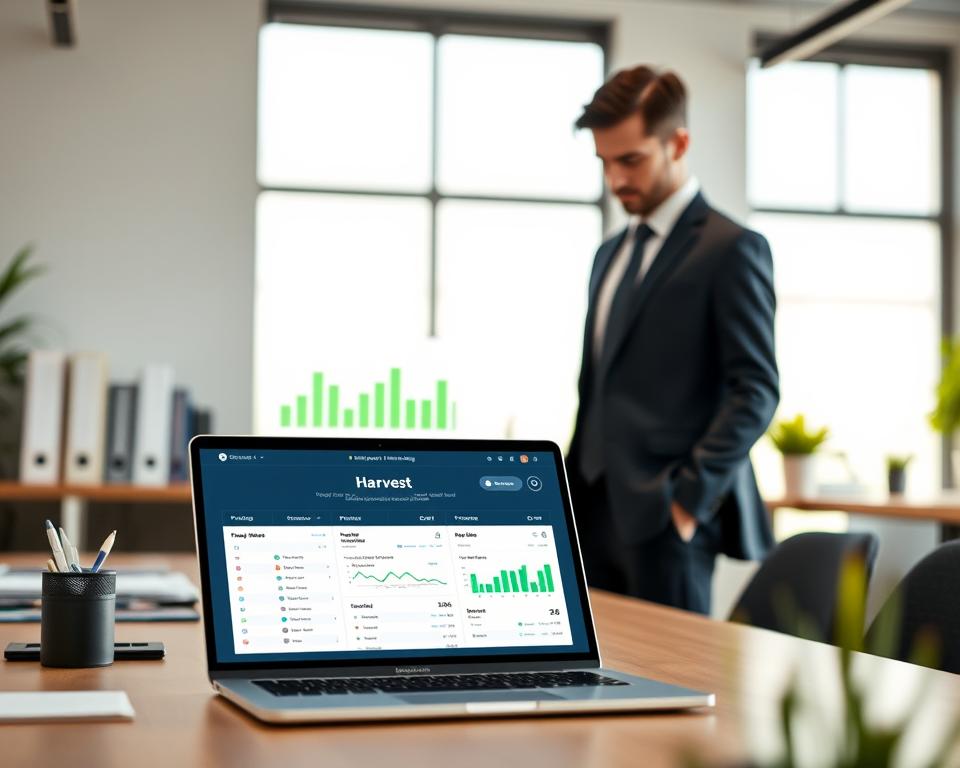
By using Harvest, businesses can tap into its full range of features. This includes time tracking and invoicing, all in one platform.
Clockify: What Makes It Unique?
Clockify shines in the time tracking app world with its cool features. It’s a top pick for both people and teams. Its flexibility is a big reason why it’s so popular.
Free vs. Paid Features
Clockify’s free plan is a big deal. It has lots of features that cost money in other apps. You get unlimited time tracking, reporting, and integrations with other tools for free. The paid plan has more, but the free one is strong enough for many.
User Management Options
Clockify is great for teams because of its user management. Admins can easily manage user permissions and track team work. It helps teams stay on track and productive.
Best for Teams
Clockify is perfect for teams needing a good time tracking app. It supports many users and has a free plan. It fits businesses of all sizes, from small startups to big companies.
Time Tracking Apps for Freelancers
In freelancing, time is money. The right time tracking app can really help your earnings. You need tools that manage your time well and make your work flow smoother.
Best Options for Independent Workers
For freelancers, the best apps track time easily, automatically, and give detailed reports. Here are some top picks:
- Toggl Track: Easy to use and has great reporting.
- Harvest: Offers time tracking and invoicing all in one.
- Clockify: Free and unlimited, perfect for budget-conscious freelancers.
Features That Matter
When picking a time tracking app, look for these key features:
- Automated Time Tracking: Tracks time on tasks and projects without you having to do it manually.
- Reporting and Analytics: Gives you detailed reports on how you spend your time.
- Integration with Other Tools: Works well with other apps and platforms you use.
How to Choose the Right One
Choosing the right app means thinking about what you need. Ask yourself:
- What do I mainly use time tracking for?
- Do I need it to work with other tools I use?
- How much can I spend on time tracking software?
By answering these questions and focusing on what’s important to you, you can find an app that boosts your productivity and helps you reach your goals.
Time Tracking Apps for Teams
Time tracking apps are key for managing teams well. They boost productivity and teamwork. These apps help teams stay organized and make smart decisions.

Collaboration Features
Time tracking apps offer great collaboration tools. They let teams work together smoothly. They share info and track progress in real-time.
- Task Assignment: Leaders can give tasks and see how they’re doing.
- Real-Time Updates: Members can update their tasks, keeping everyone informed.
- Communication Tools: Many apps work with chat tools, making team talk easy.
Project Management Integration
These apps work well with project management tools. This combo boosts team productivity. It lets teams track projects and tasks easily.
- Seamless Project Tracking: Track time on projects and tasks.
- Enhanced Reporting: Get detailed reports on project and team performance.
- Better Resource Allocation: Use resources wisely based on project needs.
A productivity expert says, “Time tracking with project tools boosts team project success.”
“The right time tracking app can change how teams work, making them more efficient and productive.”
Time Reporting for Managers
Managers get useful insights from time tracking apps. They see how the team is doing through detailed reports. These reports help in many ways.
- Performance Evaluation: Check team and individual performance by task time.
- Identifying Bottlenecks: Find where the team spends too much time, for better processes.
- Client Billing: Make accurate invoices for client projects based on tracked time.
Teams can work better, collaborate more, and be more productive with these tools.
Tips for Implementing Time Tracking Apps
To get the most out of a time tracking app, careful planning is key. Using such a tool can greatly improve your team’s productivity and workflow. Here’s how to ensure a successful rollout.
Getting Your Team Onboard
Introducing a new time tracking app to your team can face resistance if not done right. It’s important to clearly explain the benefits and involve your team in the selection. This builds ownership and addresses concerns.
Key Strategies for Team Adoption:
- Explain how the app will improve their work-life balance
- Demonstrate how the app can help in reducing unnecessary tasks
- Provide training and support to ensure a smooth transition
Setting Clear Goals
Before using a time tracking app, define what you want to achieve. Whether it’s better project management, increased productivity, or insights into time usage, clear goals are essential.
Consider the following when setting your goals:
- Identify the metrics that matter most to your business
- Set realistic targets based on historical data or industry benchmarks
- Regularly review and adjust your goals as needed
Analyzing Data for Improvements
The real value of a time tracking app is in its insights. Regularly analyzing data can help find areas for improvement, optimize resource use, and streamline processes.
Here’s an example of how data from a time tracking app can be analyzed:
| Project | Total Hours | Average Time per Task |
|---|---|---|
| Project A | 100 | 5 hours |
| Project B | 80 | 4 hours |
| Project C | 120 | 6 hours |
By examining this data, you can make informed decisions about project management and resource allocation.
Common Challenges When Using Time Tracking Apps
Time tracking apps have many benefits but also face challenges. I’ve used these tools and know how important it is to understand these hurdles for success.
Overcoming Resistance
Getting your team to use time tracking apps can be tough. To solve this, involve your team in choosing the app and provide thorough training. Explaining the benefits and how the app will be used helps a lot.
In my old job, I held workshops to show how the app works. I explained how it would make our project management better.
Ensuring Accurate Time Entry
Getting team members to log their time correctly is another hurdle. To fix this, set up regular checks and balances. For example, hold weekly review sessions to check the data’s accuracy.
| Strategy | Description | Benefits |
|---|---|---|
| Regular Reviews | Weekly sessions to review logged time | Improved accuracy, early issue detection |
| Automated Reminders | Setting reminders for time entry | Consistency, reduced forgetfulness |
Avoiding Feature Overload
Many apps have too many features, which can confuse users. To avoid this, focus on the core features you need. Also, train your team on those specific features.
By knowing these challenges and how to overcome them, you can make the transition to time tracking apps smoother. This way, you can get the most out of these tools.
Future Trends in Time Tracking Apps
The world of time tracking apps is changing fast. New trends and technologies are leading the way. These tools will become more vital for businesses to manage their teams well.
Emerging Technologies
AI and automation are big in time tracking apps now. They make tracking time more accurate and less work for everyone. AI helps businesses understand how their team works best and improve their operations.
For more on how workforce management is changing, check out Timegrip’s insights.
Adapting to Remote Work
Time tracking apps are also getting better for remote work. More companies are letting employees work from anywhere. So, apps need to work with teams spread out all over.
This means adding features like location tracking and calendar integration. It also means tracking time no matter where you are.
Data Security
Data security is a big deal now that time tracking apps are everywhere. Companies need to make sure their apps keep data safe. They must follow rules and protect sensitive information.