


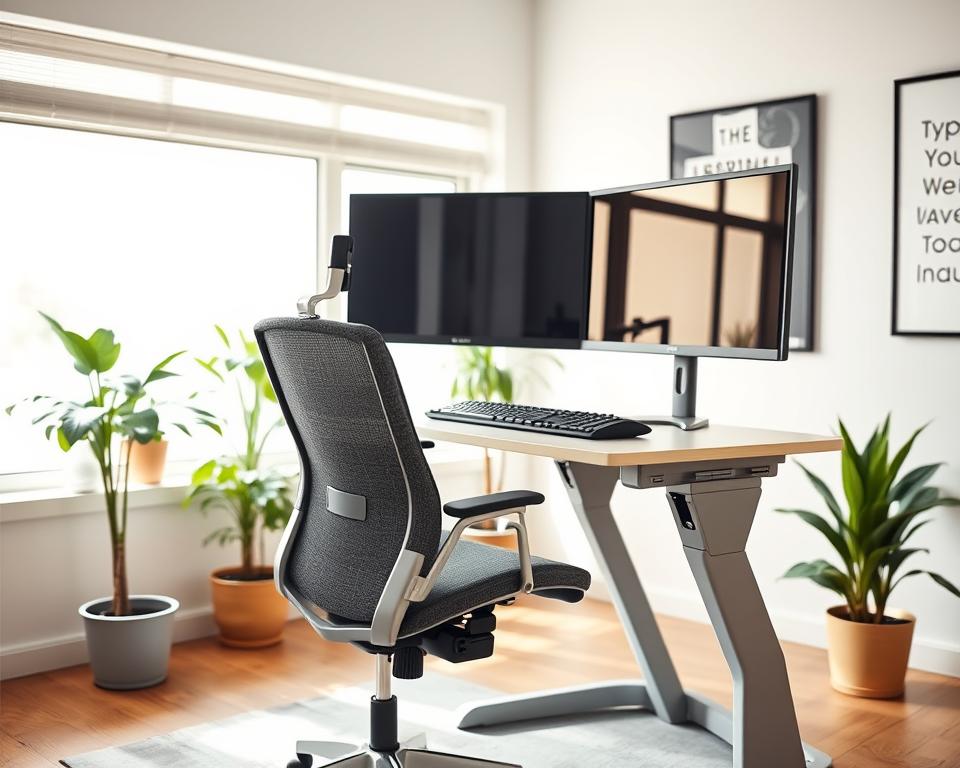
Sitting for long periods can cause back pain and lower productivity. As someone who works a lot at a desk, I’ve learned the value of a comfy and ergonomic workspace.
Making a few simple changes can greatly improve your all-day comfort and work efficiency. This means setting up an ergonomic office that supports your health.
I’ll share easy tips to help you get into a comfortable working position. This will make your work experience better.
Key Takeaways
- Adjust your chair height to support your legs comfortably.
- Position your monitor to avoid straining your neck.
- Keep your keyboard and mouse close to your body.
- Take regular breaks to stretch and move around.
- Consider using an ergonomic keyboard and mouse for added comfort.
Understanding Proper Desk Posture
Knowing the importance of proper desk posture is key to a healthier workspace. It’s not just about feeling comfortable. It also boosts productivity and keeps us healthy in the long run.
Why Desk Posture Matters
Keeping a correct sitting position is vital to avoid discomfort and long-term harm. When I sit right, I ease the pressure on my muscles and joints. This makes me feel better overall.
Good desk ergonomics mean my workspace supports my posture. This includes the right chair, monitor, and keyboard setup.
The Impact on Productivity
Good posture greatly increases my productivity. When I’m comfy, I can focus better and work longer without getting tired. Research shows that ergonomic workspaces lead to higher productivity.
| Productivity Factor | Impact of Good Posture | Impact of Poor Posture |
|---|---|---|
| Focus | Improved concentration | Distractions due to discomfort |
| Energy Levels | Maintained energy throughout the day | Fatigue and decreased energy |
| Work Efficiency | Increased efficiency | Reduced efficiency due to discomfort |
Long-term Health Effects
Ignoring my desk posture can cause serious health problems, like musculoskeletal disorders. It’s essential to sit correctly to avoid these issues.
By understanding the value of proper desk posture and using good desk ergonomics, I can lower the risk of long-term health issues.
Key Elements of Proper Desk Posture
Setting up your workspace correctly is key for good desk posture and a better work experience. An ergonomic office setup is more than just comfort. It’s about creating a space that boosts productivity and lowers health risks.
Chair Height and Position
Getting your chair height right is essential. Your feet should be flat on the floor or on a footrest. Your knees should be at or below hip level. The chair should support your lower back, keeping your spine’s natural curve.
I suggest adjusting the chair so your hips are slightly higher than your knees. This helps you work comfortably.

Monitor Placement
Where you place your monitor is key to avoid neck and eye strain. It should be directly in front of you, about 20-25 inches away. The top of the monitor should be at eye level or slightly below.
This setup keeps your neck in a neutral position. It’s important for good desk posture.
Keyboard and Mouse Alignment
Aligning your keyboard and mouse right is vital for your wrists and hands. Your keyboard should be in front of you, with your wrists straight and elbows at 90 degrees. The mouse should be near your body and at the same height as your keyboard.
| Element | Correct Setup | Benefits |
|---|---|---|
| Chair Height | Feet flat on floor, knees at or below hip level | Reduces strain on legs and lower back |
| Monitor Placement | Directly in front, 20-25 inches away, top at eye level | Prevents neck strain and eye fatigue |
| Keyboard and Mouse | Keyboard directly in front, wrists straight, mouse close to body | Reduces risk of wrist and hand injuries |
By focusing on these key elements, you can make an ergonomic office setup. This setup boosts comfort, productivity, and well-being. It may take time to adjust, but the benefits to your health and work are worth it.
Assessing Your Current Setup
Checking your workspace is the first step to a better work area. Look at several important parts that affect your posture and comfort.
Self-Evaluation Techniques
Start by checking your chair. Make sure your feet are flat or on a footrest. Your knees should be at or below hip level.
Your chair should support your lower back. Avoid slouching or leaning forward.
Then, look at your monitor’s position. The top of the screen should be at eye level or slightly below. It should be directly in front of you to avoid neck twisting.
The distance between your eyes and the screen should be about an arm’s length.
Check your keyboard and mouse positions. Your keyboard should be in front of you, with wrists straight and elbows at 90 degrees. Your mouse should be close to your body and at the same height as your keyboard.
Common Mistakes to Avoid
When checking your setup, watch out for common mistakes. A monitor that’s too far away or at an angle can cause neck strain. A chair without enough lumbar support can lead to back pain.
Also, be careful with your keyboard and mouse placement. A keyboard that’s too high or low can strain your wrists. A mouse that’s too far away can cause shoulder and arm discomfort.
Knowing these issues helps you make changes for a more ergonomic and comfortable workspace.
Adjusting Your Workspace for Comfort
Making your workspace comfortable can greatly improve your well-being and work efficiency. A comfy workspace boosts your productivity. It also helps you maintain the correct sitting position and best posture for desk work.
To create a comfortable workspace, focus on several key elements. Choose the right desk and chair. Also, add supports to help keep good posture.
Ergonomic Desk Options
Ergonomic desks are made to be comfortable and safe. When picking an ergonomic desk, think about these things:
- Adjustable height for sitting and standing
- Enough space for your computer, papers, and more
- Cable management to keep things tidy
Here are some ergonomic desk choices:
| Desk Type | Features | Benefits |
|---|---|---|
| Sit-Stand Desks | Electric or manual height adjustment | Promotes movement and reduces sitting time |
| Corner Desks | Space-saving design, ergonomic layout | Maximizes workspace, improves productivity |
Footrests and Supports
Adding footrests and supports can also boost your comfort and posture. Footrests keep your legs and torso at a 90-degree angle. This reduces back strain.
Using footrests and supports offers many benefits:
- Improved circulation and reduced leg swelling
- Better posture and less back strain
- More comfort during long sitting periods
By adding these elements to your workspace, you can make it more comfortable. This supports your productivity and well-being.
Sitting vs. Standing Desks
Sitting and standing desks have their own advantages and disadvantages. Knowing these can help make your workspace more comfortable. Both types of desks have their roles in an ergonomic office setup.
Pros and Cons of Each
Sitting desks are traditional and often cheaper. They offer a cozy work area, great for detailed work or long focus periods. But, sitting too much can cause back pain and heart disease.
Standing desks encourage movement and better posture. They can lower disease risks from sitting too long. Some users feel more energetic and productive. Yet, standing for too long can cause tiredness and discomfort if not balanced with sitting.
Key Considerations:
- Sitting Desks: Good for long tasks, but sitting too much is unhealthy.
- Standing Desks: Encourages movement and posture, but standing too long can be tiring.
Best Practices for Each Desk Type
For sitting desks, keep your feet flat or on a footrest, and your monitor at eye level. Take breaks to stand and stretch regularly.
For standing desks, adjust the height to avoid neck or back strain. Wear comfy shoes and think about using an anti-fatigue mat.
Switching between sitting and standing during the day can benefit both. Use a sit-stand desk that makes it easy to switch positions.
Tips for Alternating:
- Begin with sitting and switch to standing every hour.
- Slowly increase standing time as you get more comfortable.
- Pay attention to your body and adjust as needed.
By knowing the pros and cons of each desk and following best practices, you can set up an ergonomic office. This will improve your comfort and productivity.
Stretching and Movement Breaks
Regular stretching and movement breaks are key to keeping a good desk posture. They help avoid long-term health problems. It’s important to do activities that fight the bad effects of sitting too long.
Importance of Regular Breaks
Breaks help prevent stiffness and boost your energy. Standing up, stretching, and moving around reduces muscle tiredness. Regular breaks keep your energy and focus up all day.
Research shows short breaks can make you smarter and more creative. Adding stretches and movements to your day helps keep you healthy and balanced.
Simple Office Stretches
Simple stretches can greatly improve how you feel at work. Here are a few easy ones to do at your desk:
- Neck Stretch: Slowly tilt your head to the side, bringing your ear towards your shoulder.
- Shoulder Rolls: Roll your shoulders forward and backward in a circular motion.
- Wrist Extensions: Hold your arm straight out and gently pull your wrist back with your other hand.

Here’s a quick look at why stretching and movement breaks are good:
| Activity | Benefits | Frequency |
|---|---|---|
| Neck Stretch | Reduces neck tension, improves flexibility | Every 2 hours |
| Shoulder Rolls | Relieves shoulder tension, enhances posture | Every hour |
| Wrist Extensions | Prevents wrist strain, improves circulation | Every 30 minutes |
By adding these simple stretches and breaks to your day, you can greatly improve your proper desk posture and health.
Tools and Gadgets for Ergonomics
The right ergonomic tools can greatly improve your well-being and work efficiency. Using these tools daily helps you sit correctly and lowers injury risks.
Ergonomic Chairs
An ergonomic chair is key for a good office setup. It supports your back, encourages good posture, and fits your body. Look for adjustable height, lumbar support, and breathable fabric when choosing.
I found the Herman Miller Embody Chair to be highly ergonomic and comfortable. It’s designed to keep you in a healthy sitting position and prevent back pain.
Standing Desk Converters
Standing desk converters are great for switching between sitting and standing. They fit on your desk, making it easy to move. They encourage movement and lower the risks of sitting too long.
When picking a standing desk converter, check its stability, adjustability, and size. It should be strong and hold your monitors, keyboard, and other items.
Wrist Supports
Wrist supports are vital for an ergonomic office. They keep your wrists straight while typing, preventing injuries like carpal tunnel. Use them with your keyboard and mouse for wrist support.
Choose wrist supports that are comfy and adjustable. Some have gel or memory foam for extra comfort. They help reduce wrist and hand strain.
Creating a Supportive Work Environment
To stay comfortable all day, it’s key to have a supportive workspace. This is important for keeping the best posture for desk work.
A good workspace improves your posture, boosts productivity, and enhances well-being. We’ll look at two main parts of creating such an environment: lighting and noise control.
Lighting Considerations
Good lighting reduces eye strain and improves visibility. Here are some tips for better workspace lighting:
- Place your computer so light isn’t directly in front or behind your screen.
- Use a desk lamp if overhead lighting is not enough.
- Adjust your monitor’s brightness and contrast to comfortable levels.
A well-lit workspace helps avoid eye fatigue. This lets you work longer without discomfort. Let’s compare different lighting setups:
| Lighting Setup | Eye Strain Level | Comfort Level |
|---|---|---|
| Direct overhead lighting | High | Low |
| Indirect lighting with desk lamp | Low | High |
| Natural light with monitor adjustment | Medium | Medium |
Noise Control
Noise affects your focus and productivity. Here are ways to manage noise in your workspace:
- Use noise-cancelling headphones to block out distracting sounds.
- Place your workspace away from busy areas to keep it quiet.
- Play calming music or white noise to help concentrate.
Good noise control helps you stay focused and maintain the best posture for desk work. Here are some noise management tips:
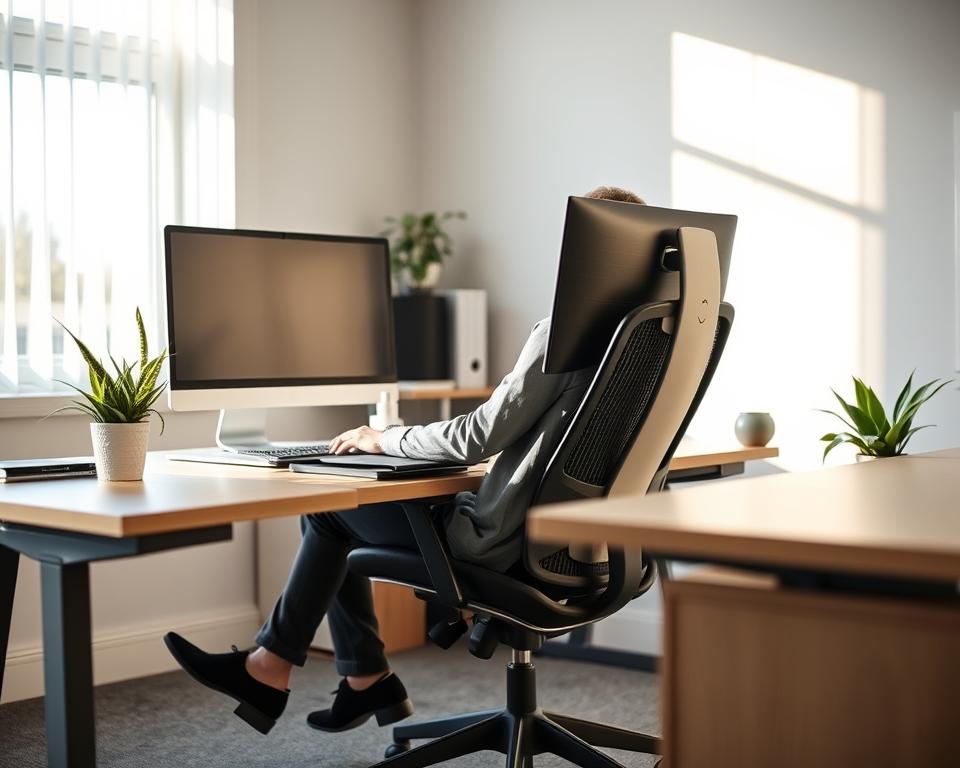
By using these lighting and noise control tips, you can make a supportive work environment. This environment promotes comfort and productivity.
Educating Your Team on Proper Posture
Teaching your team about proper desk posture can make your workplace healthier. It makes everyone more comfortable and productive. A team that knows about health can keep the work environment good.
Workplace Workshops
Workshops are a great way to teach your team about proper desk posture and desk ergonomics. They can cover sitting correctly, adjusting your chair and monitor, and taking breaks. Hands-on training helps your team apply ergonomic principles every day.
To make workshops fun, invite an ergonomics expert to speak. Add quizzes or group talks to keep everyone interested. This way, people can share their knowledge and tips.
Resource Sharing
Sharing resources is also key to teaching proper desk posture. You can give out guides, share ergonomic articles, or offer online training. This helps your team keep their workspace healthy and comfy.
Make a special section on your company’s website for ergonomic tips. Ask employees to share their own tips. This builds a community that cares about a healthy work environment.
Workshops and sharing resources together make a strong program. It educates and empowers your team to focus on their health at work.
Monitoring Your Progress
Keeping your desk posture right is a continuous task. It needs regular checks and tweaks. It’s key to watch your progress and tweak as you go.
Tracking Your Improvements
Keeping a posture journal is a smart way to track your progress. Write down your daily experiences. Note any changes in comfort and any ergonomic office setup tweaks. This helps you find what works best for you.
Seeking Help When Needed
If you’re not feeling better despite trying, it’s time to get help. A healthcare pro can give you tailored advice on sitting right. They can also suggest more ergonomic changes. Being proactive and listening to your body leads to long-term comfort and health.