


In today’s digital world, password security is more important than ever. With so many online services and accounts, managing passwords is a big challenge. Did you know weak or duplicate passwords are a top reason for data breaches?
I know how vital it is to protect my digital life. It’s key to follow best practices for password security. This way, I can lower the risk of someone getting into my accounts. Good password management is more than just making complex passwords. It’s about keeping my digital identity safe and organized.
Key Takeaways
- Understand the importance of password security in the digital age.
- Learn how to create strong, unique passwords for different accounts.
- Discover the benefits of using a password manager.
- Implement best practices for password security.
- Stay protected against common password-related threats.
Understanding Password Management
In today’s digital world, knowing about password management is key. It’s not just about making strong passwords. It’s about setting up a strong system to keep your online life safe.
Password management means creating, storing, and getting back passwords safely. This is vital to keep your personal info safe from hackers. A good system keeps your digital identity safe on many websites.
What is Password Management?
Password management is about handling passwords safely and well. It means making strong, different passwords for each account. Then, storing and getting them back when needed. A good system stops you from using weak or the same passwords, which hackers often target.
Password managers are key tools in this process. They help store and manage passwords safely. The Canadian Cyber Security Guidelines say they make passwords much safer by letting you use complex, unique ones.
Importance of Password Management
Password management is very important. With more cyberattacks and data breaches, keeping your passwords safe is essential. Weak passwords let hackers in, leading to identity theft and financial loss.
“Passwords are the keys to our digital lives, and managing them effectively is critical for our online security.”
A good password system protects not just you but also companies. By using strong passwords, you lower the chance of someone getting into your account without permission.
| Benefits of Password Management | Description |
|---|---|
| Enhanced Security | Keeps you safe from hackers and cyber threats. |
| Reduced Risk | Less chance of data breaches and identity theft. |
| Convenience | Makes managing many passwords easier. |
By learning and using good password management, you can protect your digital world. This helps keep you safe from cybercrime.
The Risks of Poor Password Practices
Bad password habits can lead to big problems online. We use digital services a lot for work and personal stuff. So, it’s key to have strong passwords.
Weak passwords let hackers get into your stuff. They can get into your account and even bigger networks.
Common Password Mistakes
Many people make big mistakes with passwords. Some common errors are:
- Using easy-to-guess info like names or birthdays.
- Not changing passwords often, making them easy to crack.
- Using the same password everywhere, so if one is hacked, all are at risk.
- Not mixing up letters, numbers, and symbols in passwords.
These mistakes make it easier for hackers to get into your accounts.
Consequences of Weak Passwords
Weak passwords can cause serious problems. Some possible issues are:
- Data breaches, where hackers get and share your private info.
- Identity theft, where hackers use your info to scam people or steal money.
- Money loss, either from direct theft or from fixing the damage after a hack.
Using password security best practices helps a lot. Password manager software makes strong, unique passwords for each site.
Knowing the dangers of weak passwords and taking steps to fix them is important. It helps keep you safe from online threats.
Best Practices for Strong Passwords
Understanding what makes a password strong is key to good password management. A strong password protects your online identity and keeps your sensitive info safe from hackers.
Characteristics of a Strong Password
A strong password is long, complex, and unique. It should have at least 12 characters. It should mix uppercase and lowercase letters, numbers, and special characters. And, it should not be used for other accounts.
Here’s a table showing what makes a password strong:
| Characteristic | Description | Example |
|---|---|---|
| Length | Minimum of 12 characters | 12 characters or more |
| Complexity | Mix of letters, numbers, and special characters | G#8dLpM4$eJ! |
| Uniqueness | Not used across multiple accounts | Different for each account |
How to Create Memorable Yet Strong Passwords
Making a password that’s both strong and easy to remember is tough. Use a passphrase, a sequence of words that’s easy for you but hard for others. Or, use a password generator to make a complex password, then store it safely with a password manager.
Here are tips for making strong yet easy-to-remember passwords:
- Make a passphrase with a mix of words, numbers, and special characters.
- Avoid using your name, birthdate, or common words.
- Use a password generator for complex, unique passwords.
- Keep your passwords safe with a trusted password manager.

Tools to Enhance Password Security
Online security is complex, and password managers are key to protecting our digital lives.
Password Managers: An Overview
A password manager stores, generates, and retrieves complex passwords. It helps you avoid remembering many login details.
Using a password manager lowers the risk of weak or duplicate passwords. This boosts your online security.
Features to Look for in a Password Manager
When picking a password manager, look for certain features. They should meet your security needs.
- Encryption Method: Choose a manager with strong encryption, like AES-256 bit.
- User Interface: A simple interface makes managing passwords easier.
- Password Generation: It should create strong, unique passwords for you.
- Cross-Platform Compatibility: Make sure it works on different devices and platforms.
- Two-Factor Authentication: 2FA adds extra security.
Popular Password Managers to Consider
Many password managers are known for their reliability and features. Here are a few to think about:
| Password Manager | Key Features | Platforms Supported |
|---|---|---|
| LastPass | Strong password generation, secure storage, 2FA | Windows, macOS, Android, iOS |
| 1Password | Advanced security features, user-friendly interface, travel mode | Windows, macOS, Android, iOS |
| Dashlane | Password generation, secure storage, dark web monitoring | Windows, macOS, Android, iOS |
By using these tools and knowing their features, you can choose wisely. This will help improve your password security.
Multi-Factor Authentication (MFA)
Cyber threats are growing, making Multi-Factor Authentication key for digital security. As we use digital services more, protecting our online identities is more important than ever.
Understanding Multi-Factor Authentication
Multi-Factor Authentication (MFA) requires more than one way to prove who you are. It makes it harder for hackers to get into your accounts. For more info, check out https://aws.amazon.com/what-is/mfa/.
Enhancing Security with MFA
MFA adds extra steps to keep your data safe. It stops hackers from using tricks like phishing or guessing passwords. You can use something you know, have, or are, like a password, a token, or biometrics.
Using MFA lowers the chance of cyber attacks. It’s a password security best practice that keeps your data safe even if your password is guessed.
For example, logging into online banking might ask for a password and then a fingerprint scan or a code on your phone. This multi-step security is a strong defense against cyber threats and is a key part of password protection.
Regularly Updating Passwords
Changing your passwords often is a key way to keep your online life safe. It stops others from getting into your accounts, even if a site gets hacked.
When to Update Your Passwords
It’s important to know when to change your passwords. You should update them in these cases:
- If you’ve used the same password on many sites and one gets hacked.
- If a service tells you your password has been stolen.
- Every 60 or 90 days, just to be safe.
Changing your passwords often can really help keep your accounts safe. It’s also smart to update them if you’ve shared your password or used a device with malware.
Tips for Managing Password Changes
Changing passwords can be hard, but there are ways to make it easier. Here are some tips:
| Tip | Description |
|---|---|
| Use a Password Manager | A password manager can help you create and keep track of strong, unique passwords for each account. It makes updating them simpler. |
| Avoid Password Reuse | Don’t use the same password for all accounts. If one gets hacked, others could too. |
| Update Passwords in Batches | If changing all your passwords at once feels too much, do it in parts. Start with the most important ones. |
By using these tips, you can handle password changes better and boost your digital safety. The goal is to make it hard for others to get into your accounts but easy for you to remember them.
In short, updating your passwords often is a simple but effective way to protect your digital world. By knowing when and how to change them, you can greatly improve your online security.
Recognizing Phishing Attacks
Phishing attacks are a big problem in our digital world. They trick people into giving out personal info like passwords or credit card numbers. It’s important to be careful and know how to spot these scams.
How to Identify Phishing Scams
Phishing scams often come through emails, messages, or fake websites. They look real but are actually trying to steal your info. Here’s how to spot them:
- Look for sender addresses that seem real but are slightly off
- Watch out for urgent or scary messages that want you to act fast
- Be wary of messages with bad grammar and spelling
- Be careful when asked for sensitive info or login details
It’s also important to be careful with links and attachments from unknown sources. They can lead to bad websites or download harmful software.
Steps to Take When You Suspect a Phishing Attack
If you think you’ve been phished, act fast to protect yourself:
- Don’t click on any weird links or open attachments from the message
- Tell the right people or the platform about the phishing attempt
- Change your passwords, mainly for accounts that might be at risk
- Keep an eye on your accounts for any strange activity
Also, make sure your passwords are strong. Using a password manager can help you create and keep track of unique, complex passwords. This is a key part of keeping your online info safe.
| Action | Benefit |
|---|---|
| Avoiding suspicious links | Reduces risk of malware and phishing |
| Reporting phishing attempts | Helps authorities track and stop phishing campaigns |
| Changing passwords | Protects accounts from unauthorized access |
By staying alert and informed, you can lower your chances of getting phished. This helps keep your online world safer.
Securely Storing Your Passwords
Keeping your passwords safe is key to protecting your online identity. With more cyber threats, knowing how to store passwords is vital. This helps keep your online world secure.
Avoiding Physical Note Storage
Writing down passwords and keeping them in physical spots is a big mistake. This could be in a drawer or on your monitor. Such practices are risky because they can be found by others, either by accident or on purpose.
Instead, it’s better to use safer methods. Here’s why physical storage is not a good idea:
- It’s easy to lose or forget
- Others can easily find it
- It doesn’t add any extra security
Secure Digital Storage Options
Digital storage is a safer way to keep your passwords. Password managers are a great example. They are special software that keeps all your passwords safe with strong encryption.
Using password manager software has many benefits:
- It uses top-level encryption to keep your passwords safe
- It helps create strong, unique passwords for each site
- It offers secure storage and autofill for easy access
When picking a password manager, look for features like two-factor authentication. Also, check for password sharing for teams and alerts for weak passwords.
Switching to digital storage makes your online security much better. It’s a simple but powerful way to protect your digital life.
The Role of Biometric Security
As we move through the digital world, biometric security is becoming key in keeping our online identities safe. It offers a more personal and secure way to protect our data compared to old password methods.
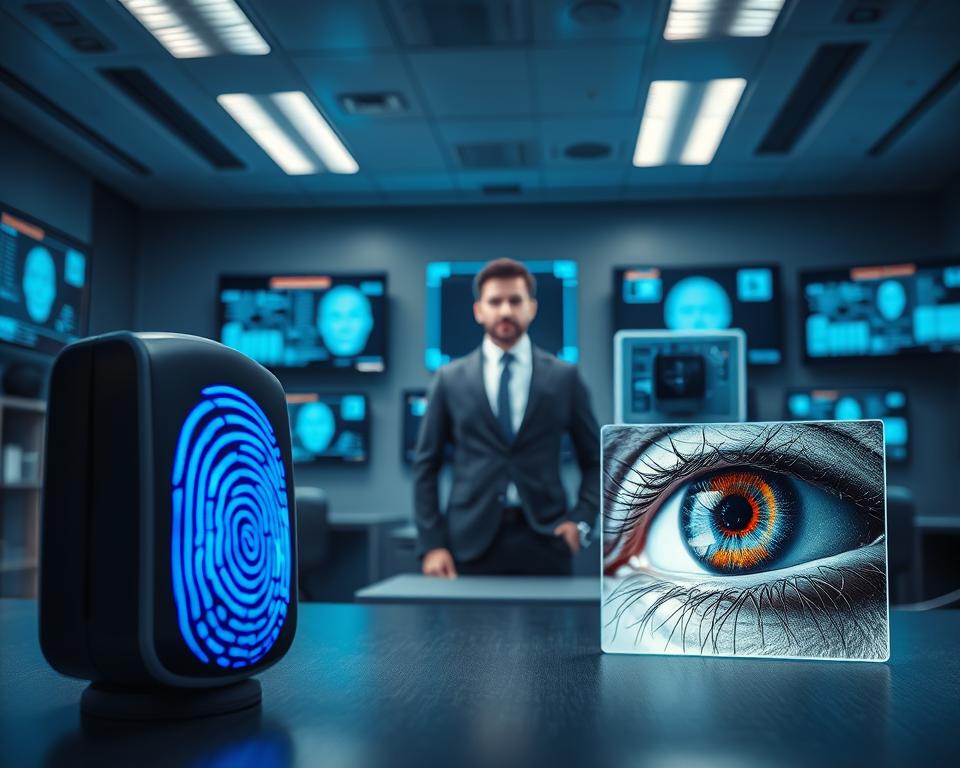
Biometric security uses special physical or behavioral traits to confirm who you are. This can be through fingerprints, facial scans, voice checks, or iris scans. It aims to add a strong defense against unauthorized access.
Types of Biometric Authentication
There are many types of biometric authentication, each with its own strengths and uses. Some of the most common include:
- Fingerprint recognition: Uses the unique patterns on your fingertips.
- Facial recognition: Checks your facial features to confirm your identity.
- Voice recognition: Looks at the unique sound of your voice.
- Iris scanning: Examines the patterns in your iris.
Pros and Cons of Biometric Security
Biometric security has many benefits, like being more convenient and possibly more secure. But, it also has its challenges. It can make remembering passwords easier, reducing security breaches. Yet, if biometric data is stolen, it’s hard to change, and privacy concerns exist.
To get the most out of biometric security, it’s vital to use strong password security best practices alongside it. This means keeping biometric data safe and having backup ways to log in if biometric methods fail.
In summary, biometric security is a strong ally in the fight for better password protection. Knowing its strengths and weaknesses helps us make smart choices in our password strategies.
Password Management in a Team Environment
Effective password management is key in a team setting. Teams often share access to resources, making secure password management essential.
Importance of Shared Credential Management
Shared credential management is vital for teams. It lets team members access shared resources securely. This is critical when sensitive information is involved.
Benefits of Shared Credential Management:
- Simplified access to shared resources
- Enhanced security through centralized management
- Reduced risk of password duplication or weak passwords
Tools for Team Password Management
Several tools help manage team passwords, including collaborative password managers. These tools offer a safe space for storing and sharing passwords.
Some popular team password management tools include:
| Tool | Key Features |
|---|---|
| LastPass | Secure password sharing, access controls |
| 1Password | Team vaults, secure password sharing |
| Dashlane | Password management, secure sharing options |
When picking a team password management tool, look at ease of use, security, and scalability. Make sure it fits your team’s needs.
Educating Yourself and Others
Learning about password management best practices is key to better digital security. As tech grows, so do cyber threats. It’s vital to stay alert and informed.
In today’s world, password security is more than just strong passwords. It’s about knowing how to stay safe online. This means keeping up with the latest security trends and threats.
Keeping Up with Security Trends
To manage passwords well, you need to know the latest security news. Look for updates from trusted sources on new threats and how to fight them. Watch for changes in multi-factor authentication and biometric security.
Knowing the latest security tips helps protect you from online attacks. It’s also important to learn how tools like password managers and two-factor authentication work. They can make your digital world safer.
Sharing Password Management Best Practices
After learning about password protection and security trends, share what you know. Use social media, community groups, or talk to family and friends.
Teaching others about password safety makes the internet safer for everyone. It also helps you remember what you’ve learned. Here are some ways to share:
- Organize or join digital security workshops or webinars.
- Post helpful tips on social media.
- Join online discussions about password safety.
By teaching ourselves and others, we help make the internet safer. It’s a team effort that needs ongoing effort and awareness.
Conclusion: Your Digital Safety Starts with Password Management
Effective password management is key to keeping our online presence safe. It helps us understand the dangers of weak passwords and how to make strong ones. This way, we can greatly improve our digital security.
Key Takeaways for Enhanced Security
Password management is very important. Using tools like password managers and multi-factor authentication can lower cyber threat risks. It’s also important to update passwords often and watch out for phishing attacks.
Take Control of Your Digital Life
It’s time to take action. Check your current password habits and think about using password management tools. By doing this, you can keep your digital identity safe and have a more secure online experience.