

In today’s digitally cluttered world, our online presence can feel overwhelming. We have many files, emails, and social media accounts. It’s easy to get lost in the digital chaos.
As I guide you through digital decluttering, you’ll learn to control your online world again. Simplifying your online spaces reduces stress and boosts productivity and security.
It’s more than just deleting files. It’s about making your online space organized, efficient, and peaceful.
Key Takeaways
- Understand the importance of digital decluttering in simplifying online spaces.
- Learn how to organize your digital files and emails effectively.
- Discover strategies to manage your social media presence.
- Improve your online security by decluttering your digital footprint.
- Enhance your productivity by simplifying your digital life.
What is Digital Decluttering?
Digital decluttering is about making our online lives simpler. It means getting rid of digital stuff we don’t need.
Understanding the Concept
Digital clutter comes from emails, files, subscriptions, and social media. It makes it hard to find what we need and causes stress. Learning about digital decluttering is the first step to a tidy digital life.
Digital minimalism is about living digitally with less. It helps us focus on what’s important and ignore distractions.
Importance of Decluttering Digitally
Clearing our digital lives improves our focus and productivity. It reduces stress and helps us work better.
For example, a messy email inbox can cause delays. Decluttering emails ensures we don’t miss out. Start by using a digital declutter checklist to find what needs cleaning.
| Benefits of Digital Decluttering | Description |
|---|---|
| Improved Mental Clarity | Reducing digital clutter helps minimize distractions, leading to clearer thinking. |
| Increased Productivity | A decluttered digital space enables faster access to information, boosting productivity. |
| Reduced Stress | Clearing digital clutter reduces stress and anxiety caused by digital overwhelm. |
Benefits of Digital Decluttering
By simplifying your digital spaces, you can unlock a more productive and stress-free online environment. Digital decluttering is not just about organizing your files and emails. It’s about creating a digital ecosystem that supports your well-being and productivity.
Increased Productivity
One of the significant benefits of digital decluttering is increased productivity. When your digital files and documents are organized, you can quickly find what you need. This saves time and reduces stress.
For example, organizing your computer files into clear folders and naming them correctly can save a lot of time. This makes you work more efficiently, finishing tasks faster.
Enhanced Focus
A clutter-free digital environment also leads to enhanced focus. With fewer distractions, you can concentrate better on your tasks. This is key in today’s digital world, where distractions are everywhere.
By decluttering your digital devices and organizing your digital life, you can stay focused. This clarity of purpose leads to better work outcomes and a more satisfying digital experience.
Better Mental Well-being
Also, digital decluttering can improve your mental well-being. Decluttering your digital space can be therapeutic, reducing feelings of overwhelm and anxiety. A well-organized digital environment leads to a clearer mind, improving your mental health.
Engaging in digital detox and regularly decluttering your digital devices can make you feel more in control. This sense of control and the reduction in digital noise lead to a more peaceful online experience.
Tips for Getting Started
Starting your digital decluttering journey needs a smart plan to simplify your online life. It’s not just about deleting files. It’s about setting up a system that makes your life easier.
Assess Your Digital Space
First, take a good look at your digital world. Count your devices, emails, and online accounts. Make a list of all your digital spots and what data they hold. This will show you what needs cleaning up.
Set Realistic Goals
Setting goals that you can reach is key in digital decluttering. It’s easy to feel overwhelmed. But, by aiming for small wins, you’ll stay motivated. Start with one device or email account at a time. Breaking down big tasks into smaller ones makes them easier to handle.
Create a Plan of Action
After you’ve looked at your digital space and set goals, make a plan. Decide how you’ll tackle your decluttering tasks. Plan out when you’ll work on it and what tools you’ll use. A good plan will help you stay on track and make the process smoother.
Organizing Your Files
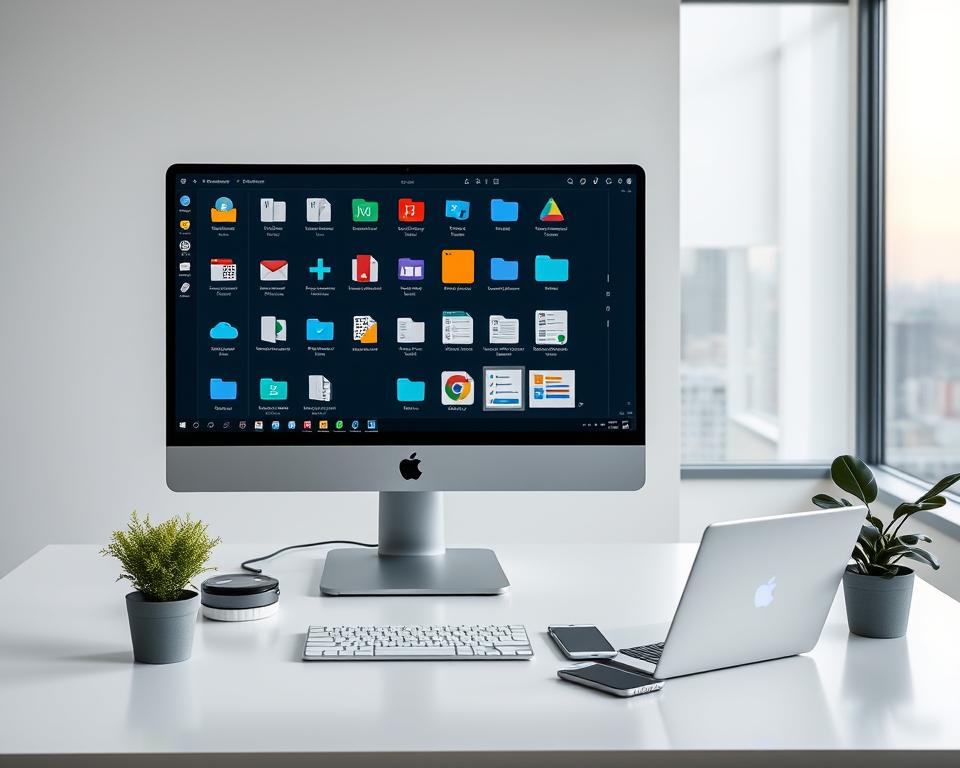
Keeping your digital files organized is key to a tidy digital life. As we explore digital decluttering, organizing your files is a must. A tidy file system boosts your productivity and helps you find what you need quickly.
Folder Structure Techniques
Building a solid folder structure is the heart of digital organization. Begin by grouping your files into main categories. Then, create subfolders for specific topics. For example, you might have a “Work” folder with subfolders for each project or client.
Best Practices for Folder Structure:
- Keep your folder structure the same on all devices.
- Steer clear of too many nested folders, as they’re hard to navigate.
- Use folder names that are clear and to the point.
Naming Conventions for Files
Choosing the right file names is as important as organizing folders. Include details like date, project name, or version number in your file names. This makes it easier to find and use your files. For instance, “2023-04-01_Project_Report_v2.docx” is a clear name.
As Laura Vanderkam, a top productivity expert, notes, “The key is not to prioritize what’s on your schedule, but to schedule your priorities.” Naming files well is a top priority for a clean digital space.
Utilizing Cloud Storage
Cloud storage has changed how we store and access files. Services like Google Drive, Dropbox, and OneDrive offer safe and easy-to-reach storage. They let you access your files from anywhere and free up space on your devices.
“The way to get started is to quit talking and begin doing.” –
By using these tips—good folder structures, clear file names, and cloud storage—you can greatly improve your digital organization. This boosts your productivity and cuts down on digital clutter.
Managing Your Email
Managing your email inbox is key to digital decluttering. A messy inbox can cause stress and slow you down. By using good email management, you can clean up your digital space and focus on what matters.
Unsubscribing from Unwanted Newsletters
Start by unsubscribing from newsletters and ads you don’t want. This cuts down on clutter and makes finding important emails easier. Look for “newsletter” or “promotion” in your inbox to find these emails.
- Find emails you don’t need or read.
- Click the unsubscribe link at the bottom of these emails.
- Use tools like Unroll.me or Bulk Unsubscribe to make it easier.
Using Folders and Labels
Organizing your emails with folders and labels makes them easier to find. This system helps you sort your emails, making your inbox more organized.
To set up folders or labels, follow these steps:
- Make main categories (like Work, Personal, Bills).
- Make sub-cats within these folders (like Projects under Work).
- Use clear, descriptive names for your folders and labels.
Setting Up Email Filters
Email filters help automate your inbox organization. They send emails to specific folders or labels based on rules you set.
For example, you can make filters to:
- Send emails from certain senders to a specific folder.
- Send emails with certain keywords to the right folder.
Here’s a simple table to show how to set up email filters:
| Filter Criteria | Action |
|---|---|
| Emails from boss@example.com | Move to “Work” folder |
| Emails containing “invoice” | Move to “Bills” folder |
As Daniel Miessler, a cybersecurity expert, said, “The key to managing your email is not to have less email, but to have the right email in the right place at the right time.” By using these strategies, you can have a more organized and stress-free email experience.
Streamlining Social Media
In today’s digital world, managing social media is key to a clean online space. Social media can be overwhelming, with many accounts and updates vying for our attention.

Evaluating Your Accounts
Start by checking your social media accounts. Look at all the platforms you’re on. Ask yourself:
- Which accounts are most important to you?
- Which ones do you use often?
- Are there accounts you haven’t used in a while?
By reviewing your social media, you can decide which to keep, update, or close. This reduces digital clutter and focuses on what matters most.
Curating Your Feed
Keeping your social media feed clean is vital. Here are some tips to help:
- Unfollow or mute accounts that don’t interest you or clutter your feed.
- Follow accounts that inspire, educate, or entertain you, making your online time better.
- Use lists or groups to organize your followed accounts, making your feed easier to manage.
By curating your feed, you can enjoy a positive and clutter-free social media experience.
Managing Notifications
Managing notifications is key to a streamlined social media experience. Too many can be distracting and add to digital clutter. Here are some strategies:
- Customize your notification settings to only get updates that matter to you.
- Use ‘do not disturb’ modes or silence notifications at certain times.
- Regularly review your notification settings as your preferences and priorities change.
By managing notifications well, you can avoid distractions and stay focused online.
Decluttering Your Digital Devices
Digital devices are key in our daily lives. Keeping them organized is vital. A cluttered device can slow you down and stress you out. Decluttering improves your digital life.
Cleaning Up Your Desktop
Your desktop is your first view when you start your computer. A messy desktop can overwhelm you. Start by sorting files into categories like documents, images, and videos.
Then, go through each file and decide if you need it. Use cloud storage for files you don’t need right away.
After sorting, delete files you don’t need. Use the “Downloads” folder for files you’ll sort later. A clean desktop helps you find things fast.
Apps and Software Management
Managing apps and software is key to decluttering. Review the apps on your device. Ask if you use each one often. If not, delete it to save space.
For apps you rarely use, find alternatives. This reduces the number of apps you need. Also, keep your apps and software updated. Updates often fix bugs and improve performance.
By following these tips, you can declutter your devices. This makes your digital life more organized and efficient. You’ll enjoy a smoother digital experience.
Implementing a Regular Decluttering Routine
Having a regular decluttering routine is key to a stress-free digital life. By adding decluttering to your daily or weekly plans, you keep your digital space tidy. This boosts your productivity and lowers stress.
Creating a Schedule
To begin, it’s vital to create a decluttering schedule that suits your life. You might spend 10 minutes daily or an hour weekly on digital decluttering. Here are some tips for a good schedule:
- Find the most cluttered parts of your digital world, like your email inbox or computer desktop.
- Set clear decluttering goals, like cutting down unread emails or organizing digital files.
- Pick a regular time and day for decluttering, making it a habit.
Establishing Good Habits
Good habits are key to keeping your digital space tidy. It’s about being mindful of your digital actions and making smart choices about your digital stuff. For example, you can:
- Regularly check and update your digital subscriptions and memberships.
- Follow a “one in, one out” rule for digital files and apps.
- Use tools and apps to stay organized, like digital note-taking apps or password managers.
For more tips on decluttering your digital life, check out this resource. It offers practical advice on managing your digital world.
By sticking to a regular decluttering routine and good habits, you can have a more organized, efficient, and stress-free digital life. It’s about finding a system that fits you and sticking to it.
Tools and Resources for Decluttering
I’ve found many tools and resources to help simplify my digital life. These tools help organize digital spaces and make upkeep easier.
Recommended Apps
Several apps are great for digital decluttering. Here are a few I find very useful:
- Evernote: A versatile note-taking app that helps organize thoughts and ideas.
- Trello: A project management tool that uses boards, lists, and cards to organize tasks.
- Focus@Will: An app that provides music to help you concentrate.
These apps are key in managing digital clutter and boosting productivity.
Digital Decluttering Services
For those needing professional help, digital decluttering services are great. They offer everything from email management to full digital organization.
| Service | Description | Benefits |
|---|---|---|
| Email Management | Services that help manage and organize your email inbox. | Reduces time spent on email, lowers stress. |
| Digital Organization | Comprehensive services that organize your digital life, including files and apps. | Improves productivity, boosts digital security. |
Using these tools and resources, people can declutter their digital lives better. They can keep their digital presence organized.
Overcoming Emotional Attachments
Getting rid of emotional attachments is key to decluttering our digital lives. It helps us create a more organized and peaceful online space. We often form strong bonds with digital items, making it hard to decide what to keep and what to throw away.
Recognizing Attachment to Digital Items
The first step is to recognize why we’re attached to certain digital items. This attachment can stem from sentimental value, nostalgia, or fear of losing important info. For example, I might hold onto a photo because it reminds me of a special moment.
To understand our attachment, we need to reflect on our feelings. Asking ourselves “Why am I keeping this?” or “What emotional value does this hold for me?” can reveal the root of our attachment.
Strategies for Letting Go
Once we recognize our attachment, we can start letting go. One strategy is to create a backup or archive of the item. This way, we can keep the memory or info without cluttering our digital space.
Another strategy is to start with items that hold less emotional significance. This gradual approach builds confidence and makes the process less daunting.
Key Strategies for Letting Go:
- Create backups or archives of emotionally significant items.
- Gradually declutter starting with items of lesser emotional value.
- Reflect on the reasons behind the attachment to make informed decisions.
To better understand overcoming emotional attachments, let’s look at different decluttering approaches:
| Approach | Description | Effectiveness |
|---|---|---|
| Immediate Deletion | Deleting digital items immediately without much thought. | Low – May lead to regret or loss of important items. |
| Gradual Decluttering | Gradually decluttering digital spaces, starting with less significant items. | High – Allows for a thoughtful and less overwhelming process. |
| Archiving | Creating backups or archives of significant digital items. | High – Preserves memories and information without clutter. |
By tackling emotional attachments to digital items, we can declutter our digital lives. This leads to a more organized and less stressful online presence.
Long-term Maintenance of a Decluttered Space
Keeping your digital space clean is a long-term job. It needs dedication and smart plans. After you’ve organized your digital life, you must set up ways to stop clutter from coming back.
Effective Strategies for Prevention
It’s key to prevent clutter from the start. Clean your inbox often, update your folders, and think about what data you keep online. This way, you won’t let digital junk pile up.
Regular Reviews for Sustained Organization
Checking in regularly is important to keep your digital space tidy. Plan to review your digital areas often. Update your systems and make changes to keep your digital life free of clutter. This keeps you organized and reduces digital stress.
With these steps, you can keep your digital space clean for good. This boosts your productivity and makes your digital life less stressful.