


Open almost any home office drawer and you will find the same collection: a phone from three upgrades ago, a laptop that no longer holds a charge, a box of cables nobody can identify, and a few chargers for devices that left the house years ago. Electronics pile up quietly because they feel too valuable to throw away and too complicated to deal with.
This guide shows you how to clear that pile in one organized session. You will learn how to gather and sort old devices, decide what to keep, protect the personal data stored on them, handle batteries safely, and choose between selling, donating and recycling. At the end you will have a simple system to stop the clutter from building up again.
Step 1: Gather everything in one place
Electronic clutter hides in many spots: desk drawers, closet shelves, the bottom of backpacks, kitchen junk drawers and storage bins in the garage. Before you decide anything, collect it all on one table or a large box. Seeing the full pile is often the motivation you need.
Look specifically for these items:
- Old phones, tablets and e-readers
- Laptops, desktop towers and external hard drives
- USB flash drives, memory cards and old backup discs
- Keyboards, mice, webcams, headsets and speakers
- Chargers, power bricks, adapters and loose cables
- Printers, routers, modems and their power supplies
- Loose batteries and battery packs
Set a time limit, such as one afternoon. Electronics decluttering stalls when it turns into a weeks-long project, so aim to finish the sorting in a single session and handle the drop-offs within the following week.
Step 2: Sort into keep, reuse, and let go
Create four zones or boxes and label them clearly. Moving each item into a zone forces a decision and keeps the table from becoming a new pile.
- Keep and use: devices you used in the last few months or have a definite plan for, such as a backup laptop that works.
- Repurpose: working items that can take a new role. An old tablet can become a dedicated video-call screen or a digital calendar on your desk, and an old monitor can become a second screen.
- Sell or donate: working devices you no longer need that are recent enough to be useful to someone else.
- Recycle: broken, obsolete or heavily worn items, including chargers for devices you no longer own.
For cables and chargers, match each one to a device you still own. Keep one spare of each type you really use, such as a USB-C cable and a power brick for your laptop, and let go of the rest. A good rule is that a cable without a device has no job in your office.
If you hesitate on an item, ask two questions: “Would I buy this again today?” and “Do I know exactly where I would use it?” Two “no” answers mean it can leave.
Step 3: Back up and wipe your personal data
Old devices often hold more personal information than you remember: tax documents, client files, saved passwords, photos and email. Before anything leaves your home, take care of the data on it. The U.S. Environmental Protection Agency’s page on electronics donation and recycling lists deleting all personal information as one of the first steps before donating or recycling a device.
Work through each device in this order:
- Back up what you need. Copy important files and photos to your current computer, an external drive or your cloud storage. Check that the copies open before you continue.
- Sign out of accounts. Log out of email, cloud services, app stores and messaging apps. On phones and tablets, turn off any device-locating or activation lock feature so the next owner can use it.
- Remove storage you control. Take out SIM cards, memory cards and any USB drives connected to the device.
- Reset or erase. Use the device’s built-in factory reset or secure erase option. The exact steps differ between brands and versions, so follow the manufacturer’s current instructions.
- Handle drives that do not boot. If a computer is dead but the drive still exists, remove the drive and keep it aside for secure destruction or a recycler that offers data destruction.
If you work with sensitive client or company information, check your employer’s or client’s requirements first. Organizations often follow formal standards, such as the National Institute of Standards and Technology’s Guidelines for Media Sanitization, and may want to handle company-owned devices themselves.
Step 4: Deal with batteries separately
Batteries deserve special attention, both for safety and because many recycling programs require them to be separated. The EPA advises removing batteries from electronics when possible, since they may need to be recycled separately, and warns that lithium-ion batteries and devices containing them should not go into household garbage or regular recycling bins. Its guide on used lithium-ion batteries explains why: damaged batteries can start fires in trucks and recycling facilities.
Practical tips for the office:
- Keep a small, labeled container for used batteries away from heat and direct sunlight.
- Cover the terminals of loose lithium batteries with tape, or put each in its own small bag, so they cannot touch metal or each other.
- Set aside swollen, cracked or leaking batteries and take them to a collection point as soon as possible. Do not try to puncture, flatten or charge them.
- Leave built-in batteries in devices such as phones if removing them would require tools or force, and tell the recycler the device contains a battery.
Step 5: Choose the right exit for each item
Now take the “sell or donate” and “recycle” boxes and decide where each item goes.
Sell or trade in
Recent laptops, phones and tablets in good condition can often be sold or traded in. Many manufacturers and retailers offer trade-in programs that give store credit. Clean the device, include its charger if you have one, and describe its condition honestly.
Donate
Working computers, monitors and accessories can help schools, community centers and nonprofits. Call before you drop anything off, since many organizations only accept certain types or ages of equipment. Donating a device that the receiver cannot use simply moves the clutter to someone else.
Recycle
For broken and obsolete devices, look for a certified electronics recycler or a local collection event. Many cities, retailers and manufacturers run take-back programs. The EPA page mentioned above links to locator tools to find options near you. Rules and accepted items vary by state and city, so check your local waste authority’s website before you go.
Avoid placing electronics in household trash. Besides wasting recoverable materials such as metals and plastics, many devices contain batteries and components that should not go to landfill.
Step 6: Keep electronic clutter from coming back
Once the pile is gone, a few simple habits will keep your office clear:
- One in, one out. When a new device arrives, decide on the spot what happens to the one it replaces.
- A single “tech exit” box. Keep one small labeled box in a closet for items waiting to be wiped, donated or recycled. When it is full, schedule a drop-off.
- Label the cables you keep. A small tag on each charger saying which device it belongs to makes the next cleanup much faster.
- A twice-a-year check. Put a reminder in your calendar to review drawers and storage bins. Fifteen minutes every six months prevents another big pile.
- Store what remains well. Keep spare cables coiled with ties in a divided drawer or a clear box, so you can see what you have before buying another.
Summary
- Gather every old device, cable and battery into one spot and finish sorting in a single session.
- Sort items into keep, repurpose, sell or donate, and recycle.
- Back up your files, sign out of accounts, remove storage cards and erase each device before it leaves your home.
- Separate batteries, protect their terminals and never put lithium-ion batteries in the household trash.
- Sell or donate working devices only where they will be used, and send the rest to a proper electronics recycler.
- Use one-in, one-out and a single exit box to keep electronic clutter under control.
A drawer full of forgotten gadgets is one of the easiest kinds of clutter to clear once you have a plan. Your desk gets more space, your data stays private, and the materials inside those devices get a second life.
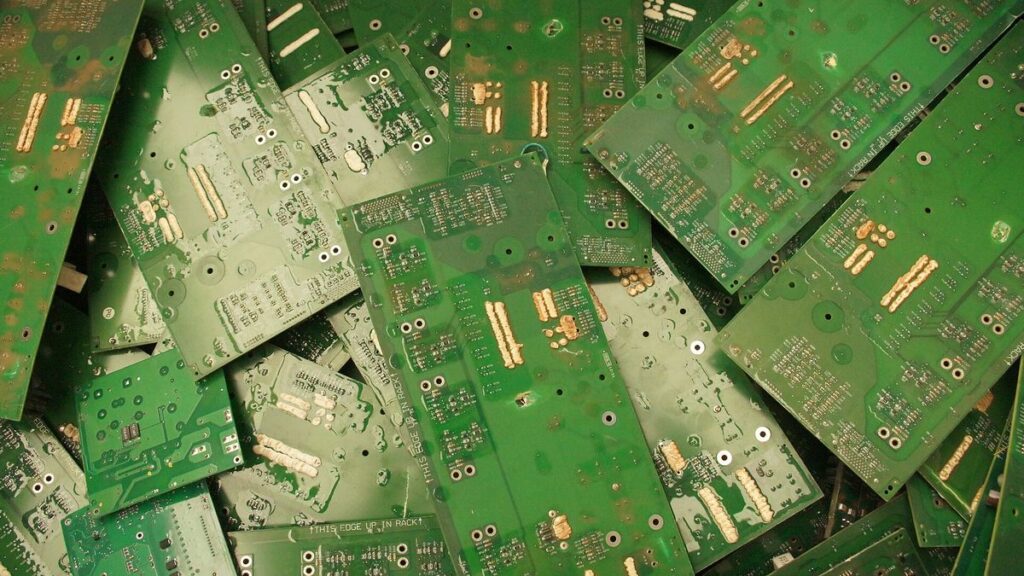
Photo: Board mother tarjeta madre crista castellanos, by Crista Castellanos, license CC BY-SA 4.0, via Wikimedia Commons. Cropped.